

 Posts
Posts



In my previous post https://steemit.com/programming/@royalmacro/a-free-open-source-data-encryption-program-for-steemit-users I share a data encrypton tool with source code, now, today here I share another program, a strong password generator with source code.
This program will generate strong, hard-to-guess passwords. I’ll do it by hashing together “domain name”, “login/user id” & “a secure master key”.
If you use the same secure master key for every password generations then you do not need to write down or, memorize your generated passwords. When you need your password then repeat the same procedure to re-generate it. If your “domain name”, “login/user id” & “a secure master key” are not different then you will generate the same password.
If you use the same secure master key for every password generations then you do not need to write down or, memorize your generated passwords. When you need your password then repeat the same procedure to re-generate it. If your “domain name”, “login/user id” & “a secure master key” are not different then you will generate the same password.
If you use only one secure master key then you have to only memorize your master key, not the passwords.
Lets try it !
Step by Step Development :
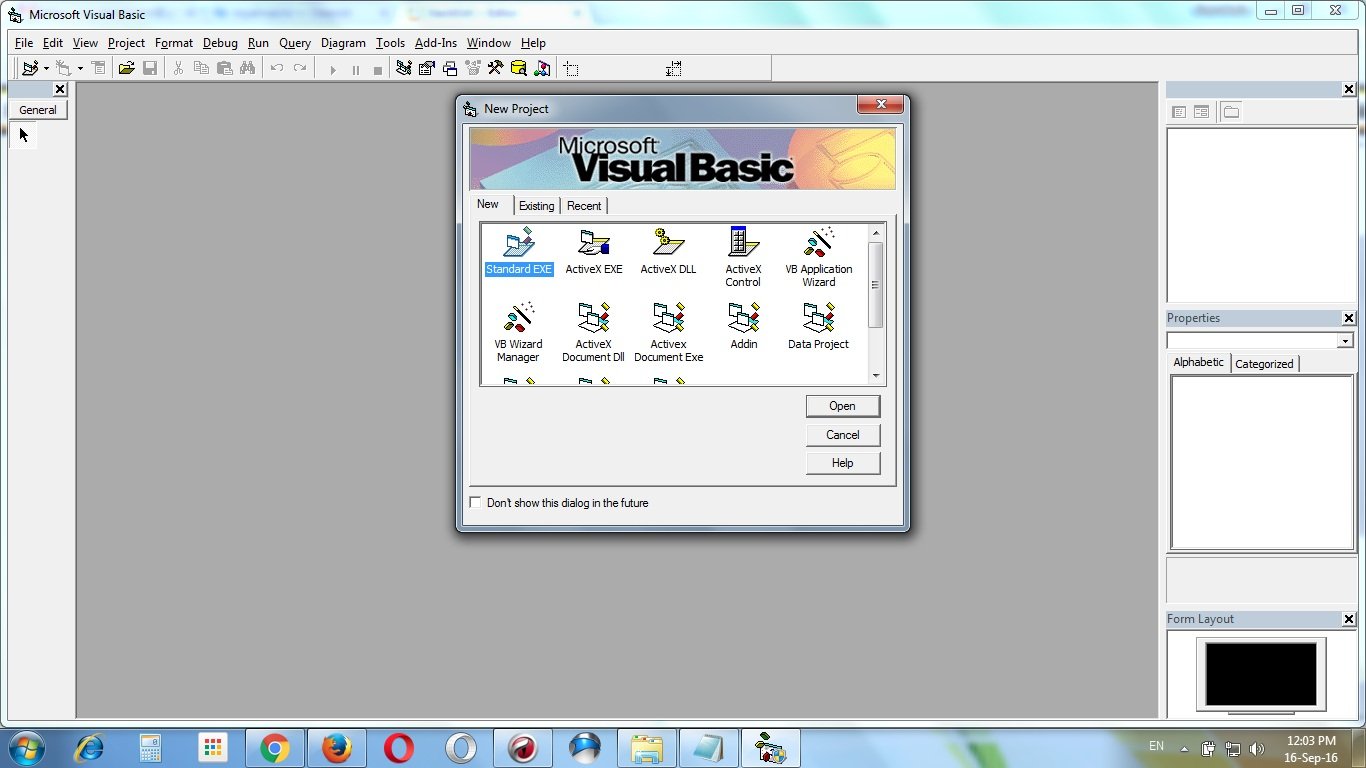
Open a new project in Visual Basic 8. Select “Standard EXE”.
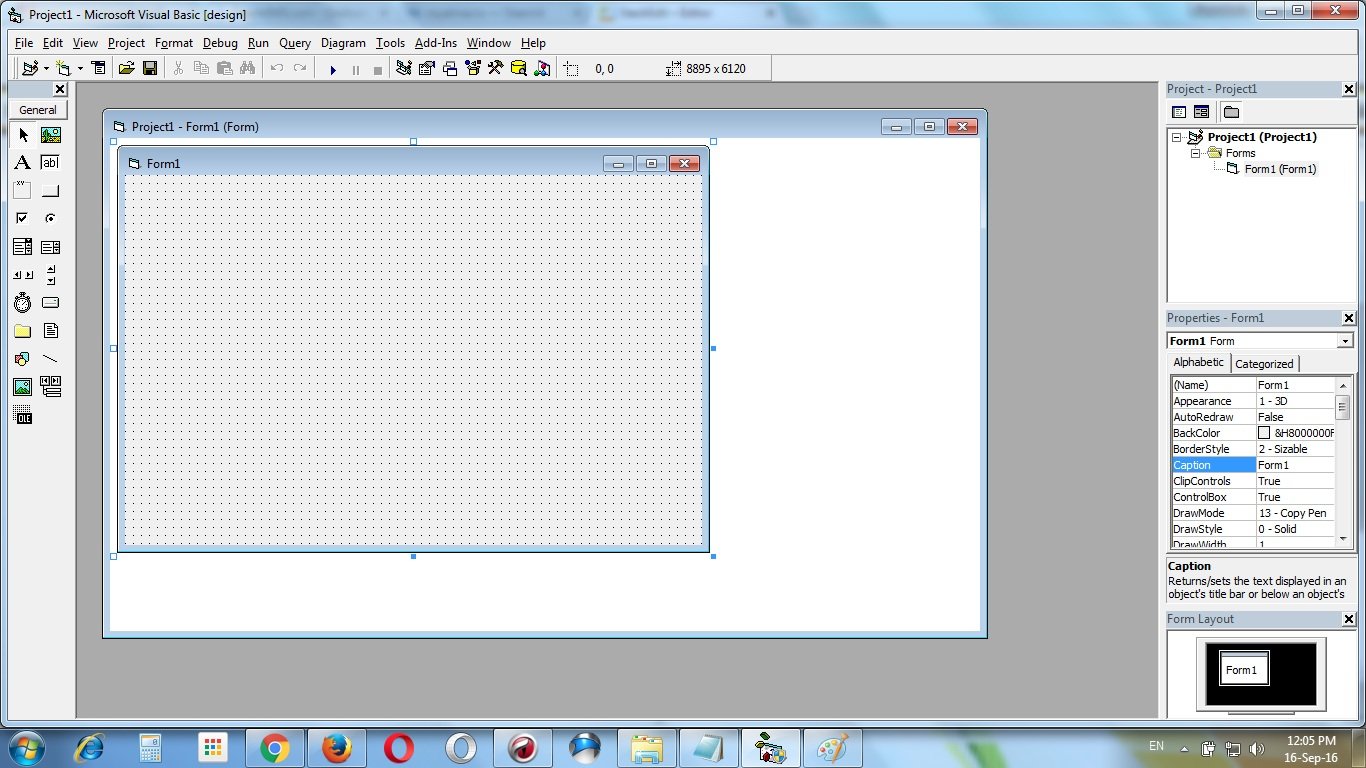
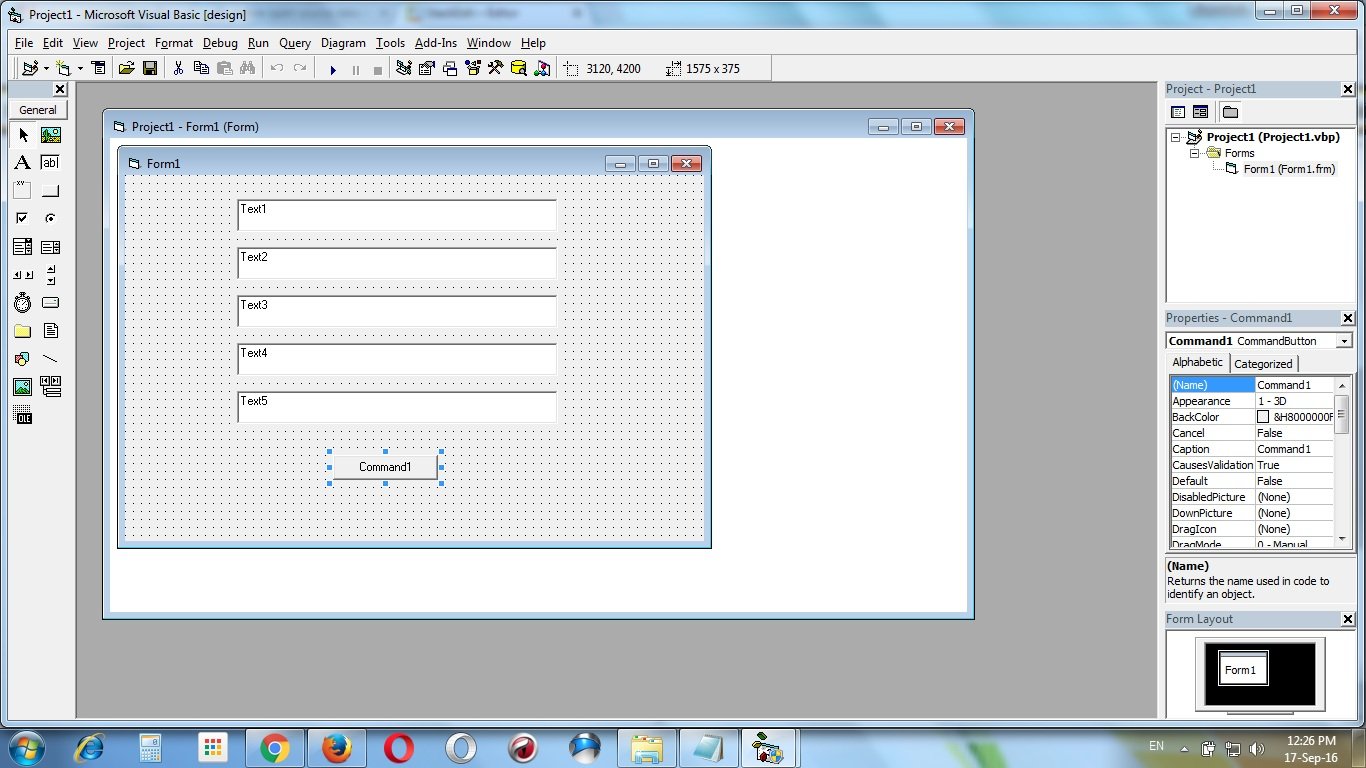
Create 5 text boxes & one command button. Text1 textbox, Text2 textbox, Text3 textbox, Text4 textbox, Text5 textbox & Command1 commandbutton.
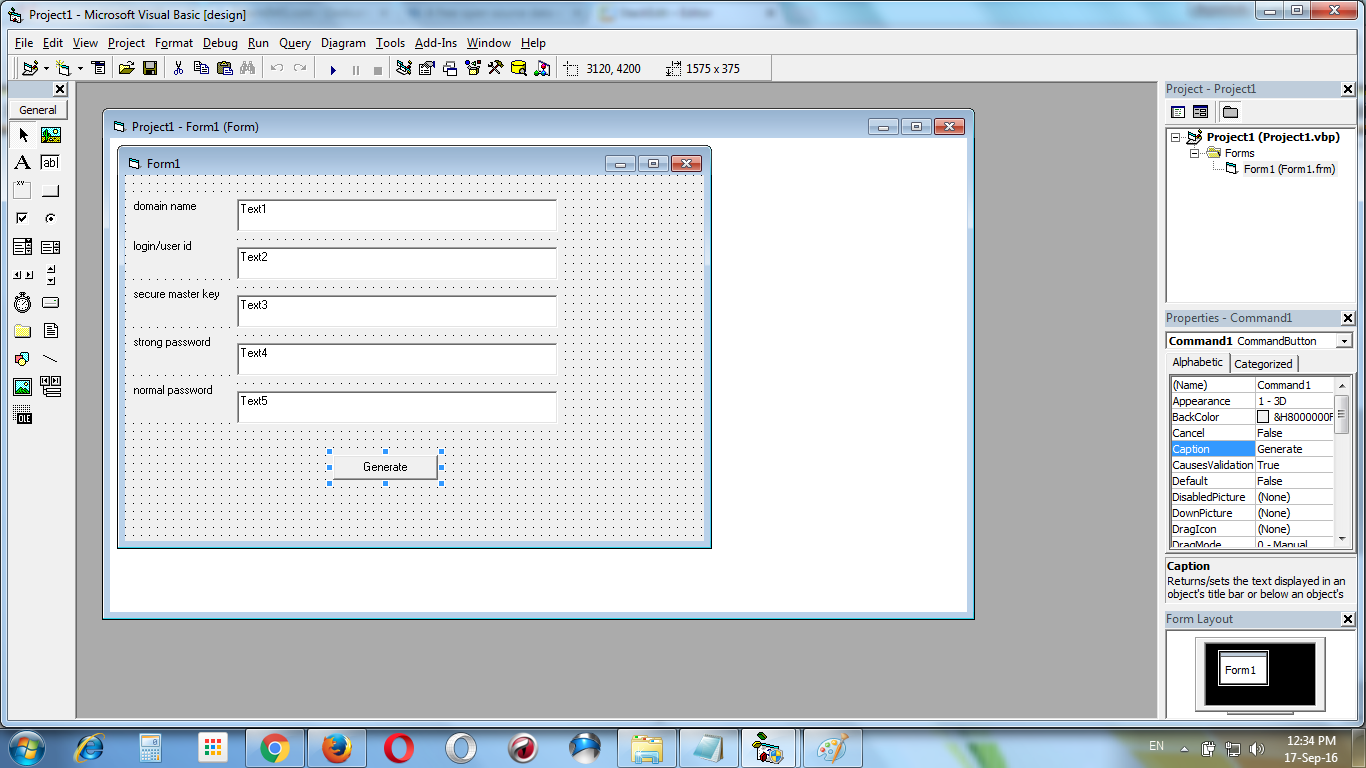
Add 5 Labels with captions “domain name”, “login/user id”, “secure master key”, “strong password” & “normal password”. And change the caption of the Command1 commandbutton to “Generate”. Add the passwordchar “*” to the Text3 textbox “password char” properties.
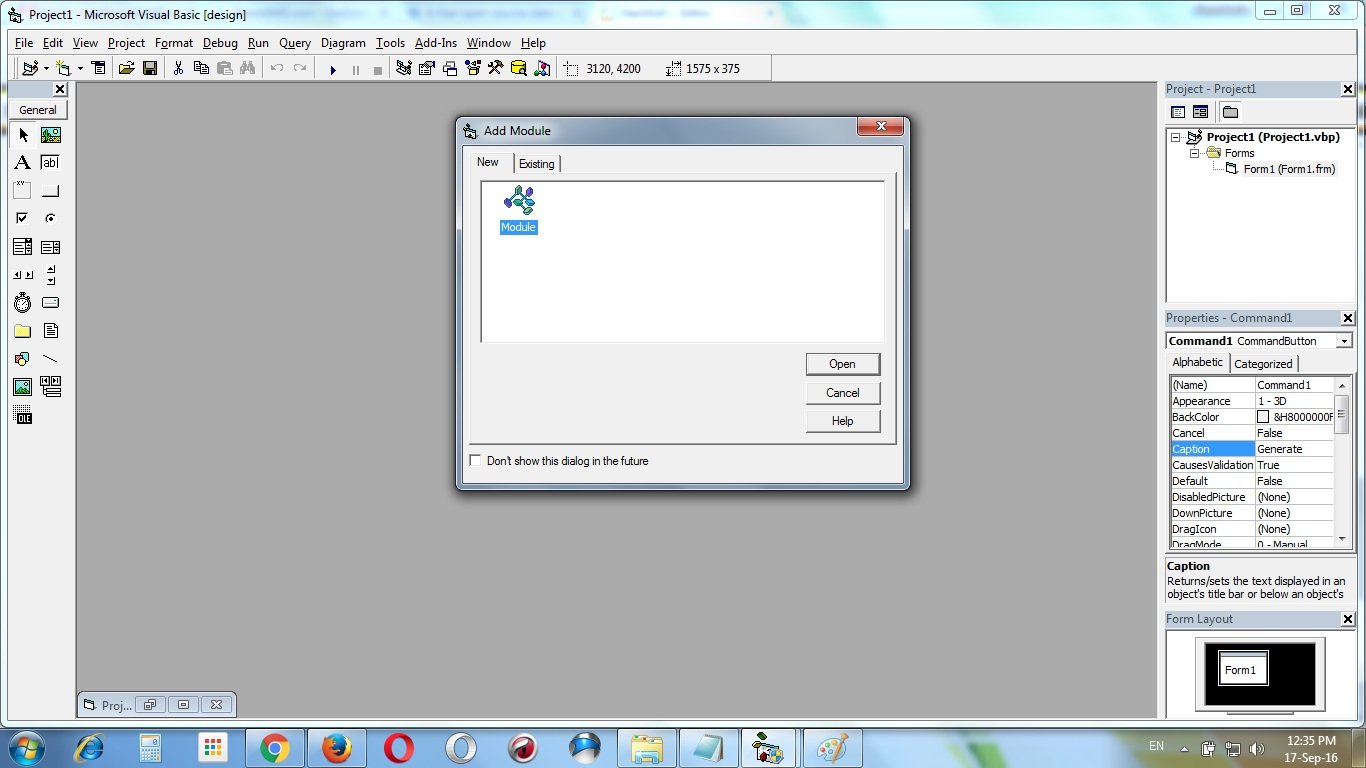
Add a module “Module 1” to the project
Add this following codes to the module “Module 1” :
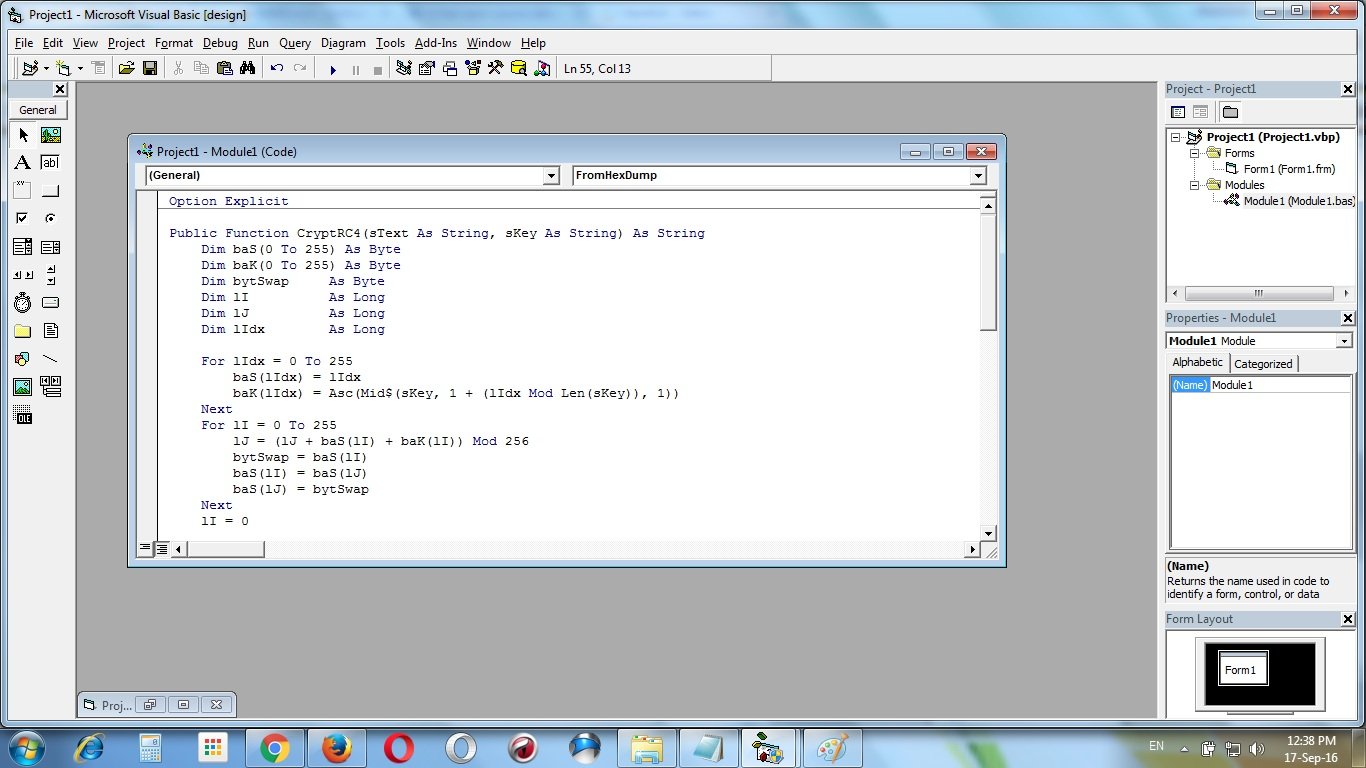
Option Explicit

Public Function CryptRC4(sText As String, sKey As String) As String
Dim baS(0 To 255) As Byte
Dim baK(0 To 255) As Byte
Dim bytSwap     As Byte
Dim lI          As Long
Dim lJ          As Long
Dim lIdx        As Long

For lIdx = 0 To 255
    baS(lIdx) = lIdx
    baK(lIdx) = Asc(Mid$(sKey, 1 + (lIdx Mod Len(sKey)), 1))
Next
For lI = 0 To 255
    lJ = (lJ + baS(lI) + baK(lI)) Mod 256
    bytSwap = baS(lI)
    baS(lI) = baS(lJ)
    baS(lJ) = bytSwap
Next
lI = 0
lJ = 0
For lIdx = 1 To Len(sText)
    lI = (lI + 1) Mod 256
    lJ = (lJ + baS(lI)) Mod 256
    bytSwap = baS(lI)
    baS(lI) = baS(lJ)
    baS(lJ) = bytSwap
    CryptRC4 = CryptRC4 & Chr$((pvCryptXor(baS((CLng(baS(lI)) + baS(lJ)) Mod 256), Asc(Mid$(sText, lIdx, 1)))))
Next
End Function

Public Function pvCryptXor(ByVal lI As Long, ByVal lJ As Long) As Long
If lI = lJ Then
    pvCryptXor = lJ
Else
    pvCryptXor = lI Xor lJ
End If
End Function

Public Function ToHexDump(sText As String) As String
Dim lIdx            As Long

For lIdx = 1 To Len(sText)
    ToHexDump = ToHexDump & Right$("0" & Hex(Asc(Mid(sText, lIdx, 1))), 2)
Next
End Function

Public Function FromHexDump(sText As String) As String
Dim lIdx            As Long

For lIdx = 1 To Len(sText) Step 2
    FromHexDump = FromHexDump & Chr$(CLng("&H" & Mid(sText, lIdx, 2)))
Next
End Function
Input this following code to Form1 :
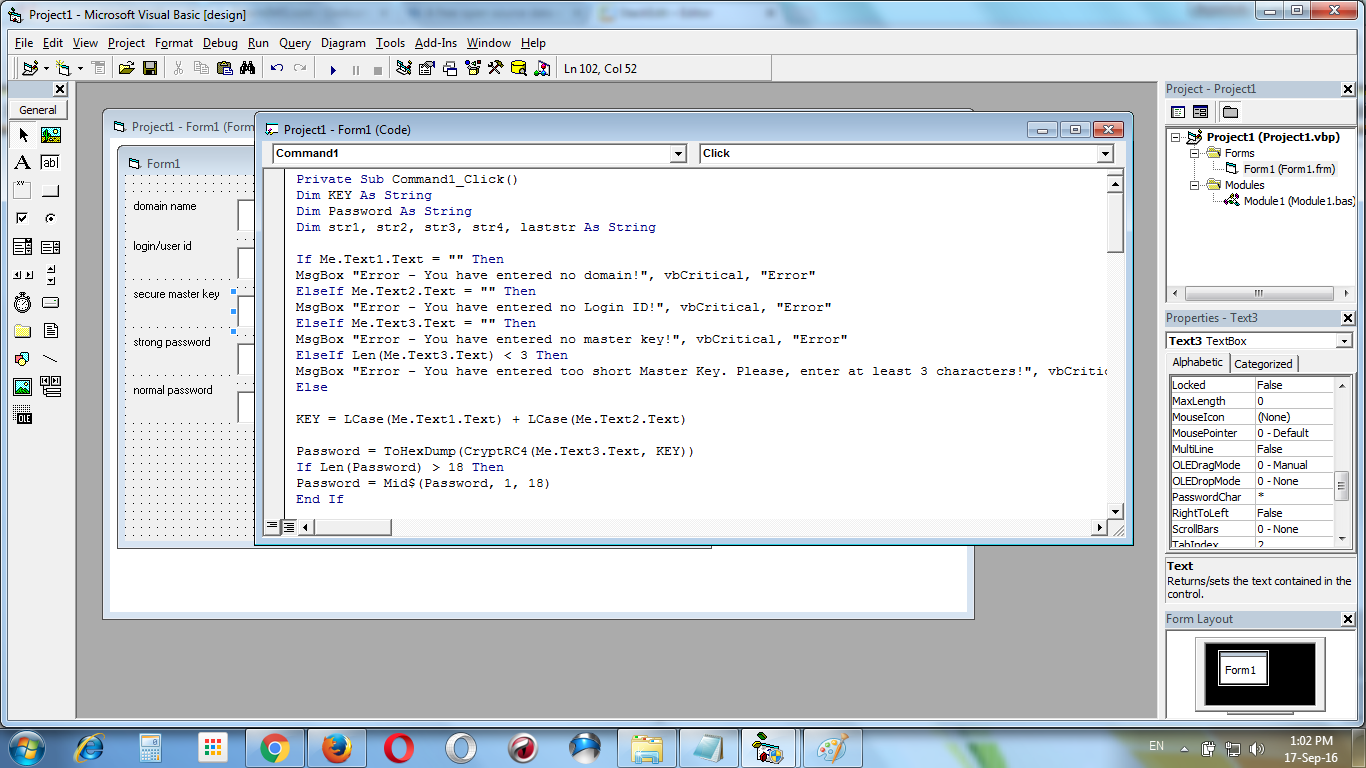
Private Sub Command1_Click()
Dim KEY As String
Dim Password As String
Dim str1, str2, str3, str4, laststr As String

If Me.Text1.Text = "" Then
MsgBox "Error - You have entered no domain!", vbCritical, "Error"
ElseIf Me.Text2.Text = "" Then
MsgBox "Error - You have entered no Login ID!", vbCritical, "Error"
ElseIf Me.Text3.Text = "" Then
MsgBox "Error - You have entered no master key!", vbCritical, "Error"
ElseIf Len(Me.Text3.Text) < 3 Then
MsgBox "Error - You have entered too short Master Key. Please, enter at least 3 characters!", vbCritical, "Error"
Else

KEY = LCase(Me.Text1.Text) + LCase(Me.Text2.Text)

Password = ToHexDump(CryptRC4(Me.Text3.Text, KEY))
If Len(Password) > 18 Then
Password = Mid$(Password, 1, 18)
End If

str1 = Mid$(Password, 1, 1)
str2 = Mid$(Password, 2, 1)
str3 = Mid$(Password, 3, 1)
str4 = Mid$(Password, 4, 1)
laststr = Mid$(Password, 5, Len(Password) - 4)

If Len(Me.Text3.Text) = 3 Then

Me.Text4.Text = str1 + "S" + str2 + "^" + str3 + "7" + str4 + "l" + laststr
Me.Text5.Text = str1 + "t" + str2 + "3" + str3 + "I" + str4 + "0" + laststr

ElseIf Len(Me.Text3.Text) = 4 Then

Me.Text4.Text = str1 + "R" + str2 + "$" + str3 + "8" + str4 + "j" + laststr
Me.Text5.Text = str1 + "k" + str2 + "7" + str3 + "X" + str4 + "5" + laststr

ElseIf Len(Me.Text3.Text) = 5 Then

Me.Text4.Text = str1 + "E" + str2 + "%" + str3 + "6" + str4 + "g" + laststr
Me.Text5.Text = str1 + "d" + str2 + "2" + str3 + "U" + str4 + "4" + laststr

ElseIf Len(Me.Text3.Text) = 6 Then

Me.Text4.Text = str1 + "H" + str2 + "!" + str3 + "5" + str4 + "m" + laststr
Me.Text5.Text = str1 + "v" + str2 + "1" + str3 + "F" + str4 + "0" + laststr

ElseIf Len(Me.Text3.Text) = 7 Then

Me.Text4.Text = str1 + "J" + str2 + "~" + str3 + "6" + str4 + "c" + laststr
Me.Text5.Text = str1 + "w" + str2 + "7" + str3 + "Q" + str4 + "9" + laststr

ElseIf Len(Me.Text3.Text) = 8 Then

Me.Text4.Text = str1 + "Z" + str2 + "#" + str3 + "8" + str4 + "h" + laststr
Me.Text5.Text = str1 + "o" + str2 + "6" + str3 + "T" + str4 + "4" + laststr

ElseIf Len(Me.Text3.Text) = 9 Then

Me.Text4.Text = str1 + "Y" + str2 + "@" + str3 + "5" + str4 + "d" + laststr
Me.Text5.Text = str1 + "p" + str2 + "4" + str3 + "W" + str4 + "7" + laststr

ElseIf Len(Me.Text3.Text) = 10 Then

Me.Text4.Text = str1 + "Z" + str2 + "&" + str3 + "8" + str4 + "n" + laststr
Me.Text5.Text = str1 + "y" + str2 + "2" + str3 + "G" + str4 + "5" + laststr

ElseIf Len(Me.Text3.Text) = 11 Then

Me.Text4.Text = str1 + "B" + str2 + "*" + str3 + "3" + str4 + "j" + laststr
Me.Text5.Text = str1 + "f" + str2 + "0" + str3 + "V" + str4 + "7" + laststr

ElseIf Len(Me.Text3.Text) = 12 Then

Me.Text4.Text = str1 + "Q" + str2 + "(" + str3 + "6" + str4 + "e" + laststr
Me.Text5.Text = str1 + "r" + str2 + "5" + str3 + "W" + str4 + "9" + laststr

ElseIf Len(Me.Text3.Text) = 13 Then

Me.Text4.Text = str1 + "U" + str2 + ")" + str3 + "7" + str4 + "t" + laststr
Me.Text5.Text = str1 + "m" + str2 + "4" + str3 + "K" + str4 + "7" + laststr

ElseIf Len(Me.Text3.Text) = 14 Then

Me.Text4.Text = str1 + "O" + str2 + "-" + str3 + "2" + str4 + "l" + laststr
Me.Text5.Text = str1 + "w" + str2 + "6" + str3 + "I" + str4 + "4" + laststr

ElseIf Len(Me.Text3.Text) = 15 Then

Me.Text4.Text = str1 + "X" + str2 + "=" + str3 + "7" + str4 + "j" + laststr
Me.Text5.Text = str1 + "d" + str2 + "5" + str3 + "V" + str4 + "6" + laststr

ElseIf Len(Me.Text3.Text) = 16 Then

Me.Text4.Text = str1 + "C" + str2 + "+" + str3 + "6" + str4 + "n" + laststr
Me.Text5.Text = str1 + "m" + str2 + "9" + str3 + "J" + str4 + "8" + laststr

ElseIf Len(Me.Text3.Text) > 16 Then

Me.Text4.Text = str1 + "T" + str2 + "+" + str3 + "6" + str4 + "y" + laststr
Me.Text5.Text = str1 + "l" + str2 + "9" + str3 + "X" + str4 + "8" + laststr


End If
End If
End Sub
Make the exe file :
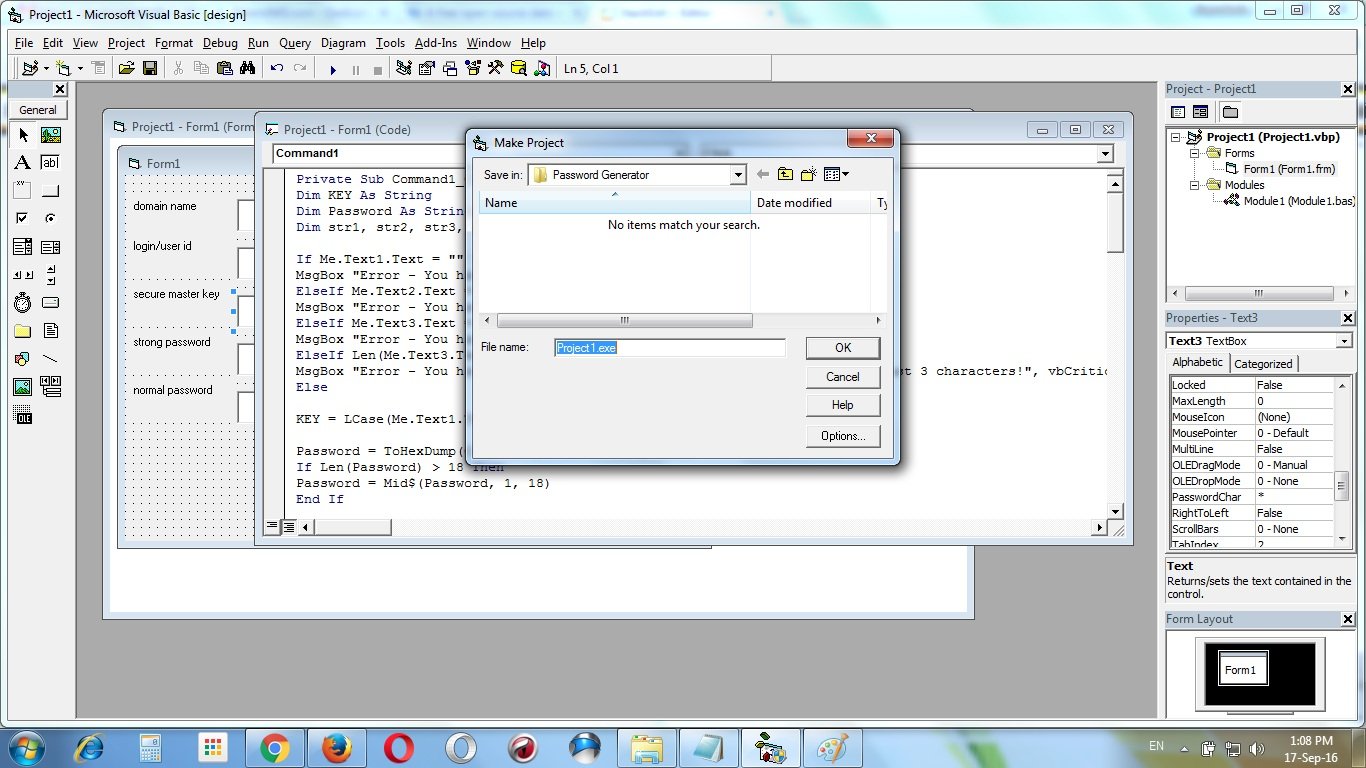
Completed ! Now run the exe file :
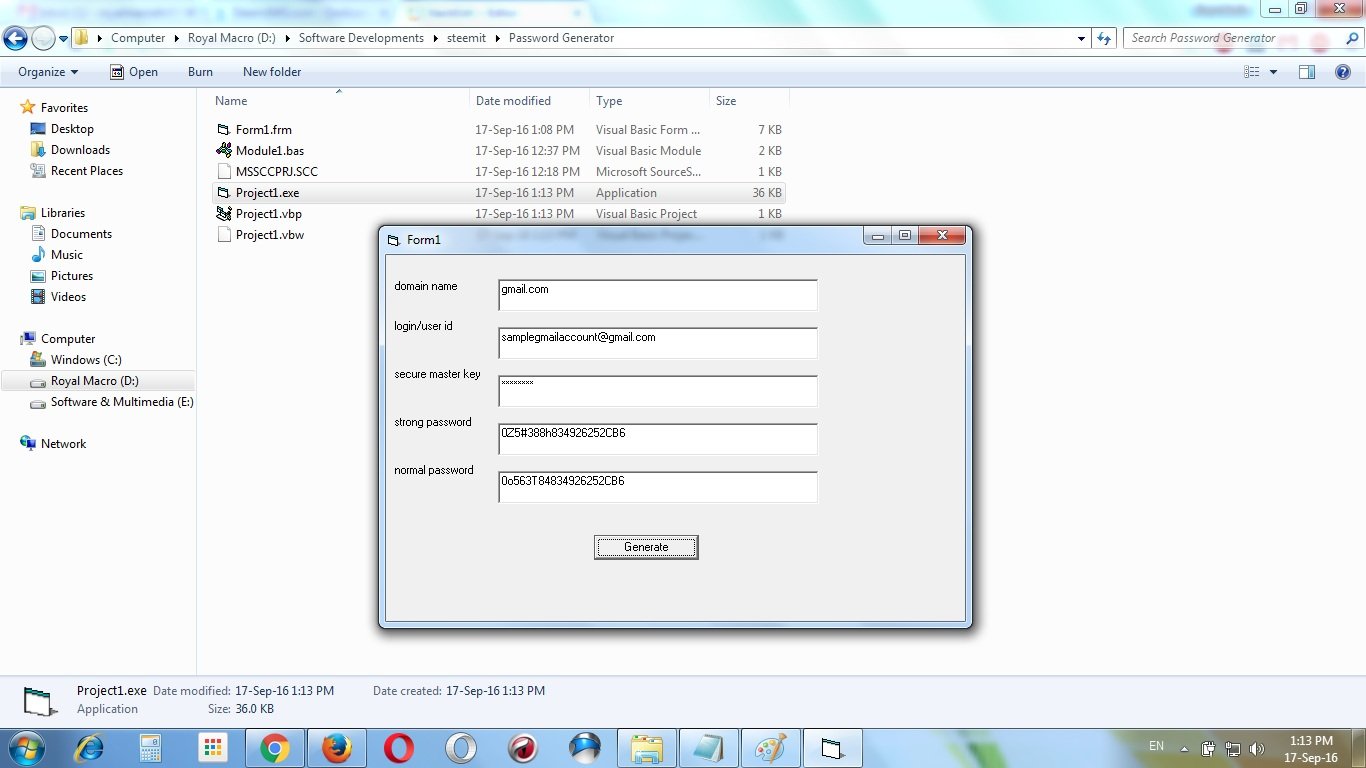
In this tutorial I use “gmail.com” as domain, “samplegmailaccount@gmail.com” as login/user id & “12345678” as my secure master key. And after pressing the “Generate” button I got two types of passwords – strong (0Z5#388h834926252CB6) & normal (0o563T84834926252CB6). Look strong type passwords has special characters & normal has not. Some websites don’t support any special characters as password. So, you can normal password there. If you change any fields of domain, login/user id & secure master key then this program will generate quite different password.
If you use only one secure master key to generate your passwords then you have to only memorize your master key, not the passwords. And you will generate different types of strong passwords for different websites or Login/User IDs.
Thank you :D
Tags : Open Source Project, Security, Software, Programming, Steemit, Visual Basic,
This Post Was Published On My Steemit Blog. Please, navigate to steemit and cast a free upvote to help me if you like my post. First Time heard about Steemit ? Click Here To Know Everything About Steemit


Comments
Post a Comment